


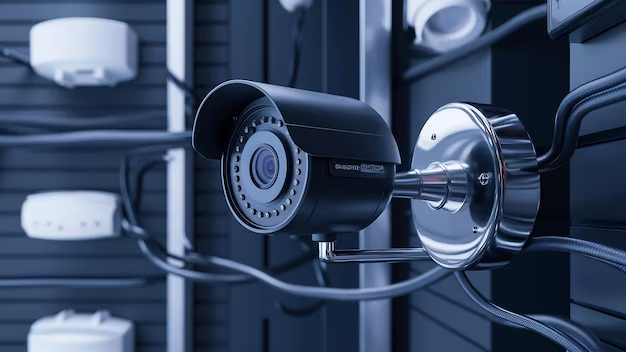
The main difference between wired and wireless security camera systems is how they operate. Wired systems use physical cables to connect cameras to a DVR or NVR, providing stable, high-quality, and reliable recording with continuous power. Wireless systems transmit video over Wi-Fi and use plug-in or battery power, offering easier installation and flexibility but relying on internet strength and maintenance.
Choosing between wired and wireless security camera systems is one of the most important decisions for homeowners and businesses in Dallas, TX. Each system works differently, offers unique advantages, and fits specific security needs. In this expert guide, we break down everything you need to know about both systems based on installation experience from Astar DFW electrical and security professionals.
What Are Security Cameras and How Do They Work?

Security cameras are devices that monitor and record activity around a home or business to improve safety and surveillance. They work by capturing video through built-in lenses and transmitting it to storage systems or mobile apps.
- Live viewing on smartphones via Wi-Fi in real time
- Motion detection alerts for suspicious activity automatically
- Night vision for low-light recording
- Cloud or DVR/NVR storage options
Popular systems include Ring, Google Nest, and Hikvision. These systems help deter intruders and provide evidence during security incidents. They are widely used in residential and commercial properties for 24/7 monitoring and peace of mind.
What is a Wired Security Camera System?
A wired security camera system is a surveillance setup where cameras are directly connected to a central recording device, such as a DVR (Digital Video Recorder) or NVR (Network Video Recorder), using physical cables. This ensures stable video transmission, consistent performance, and reliable 24/7 monitoring without dependence on Wi-Fi.
Types of Wired Security Camera Systems
There are two types of wired systems:
1. Coaxial (DVR-Based Systems):
These systems use RG59 or RG6 coaxial cables to transmit analog or HD-over-coax video signals from cameras to a DVR. They are known for strong reliability and are commonly used in older or budget-friendly installations, but they offer fewer smart features and lower scalability.
2. CAT5e/CAT6 (NVR/IP-Based Systems):
These modern systems use Ethernet cables to transmit both power and data through Power over Ethernet (PoE). They support high-resolution video (up to 4K), advanced AI features like motion and person detection, and easier remote access.
Advantages of wired systems:
- Highest reliability, no Wi-Fi dependency, no signal interference
- Continuous power through the cable, no batteries to replace
- Superior video quality at longer recording distances
- Local storage on DVR/NVR footage is accessible even if the internet goes down
- Not vulnerable to Wi-Fi jamming or network hacking in the same way wireless systems can be
- Preferred for high-security applications and homes with significant assets
Installation Reality:
Wired systems require running cables from each camera location back to a central DVR/NVR, through walls, attic spaces, or exterior conduit. This is the most involved part of a wired installation and is where professional help provides the most value. Improperly run cables, inadequate weatherproofing, and poor routing choices create long-term reliability and aesthetic problems.
What Are Wireless Security Camera Systems?
Wireless security camera systems are modern surveillance setups that transmit video footage over a Wi-Fi network instead of using physical video cables. These cameras are typically powered by plug-in adapters or rechargeable batteries and send live or recorded footage to cloud storage, mobile apps, or a central hub. They are popular in homes and small businesses due to their easy installation, flexibility, and smart connectivity features.
Types of Wireless Security Camera Systems
-
Wi-Fi cameras:
Cameras that transmit video over your home Wi-Fi network. They still typically require a power source (either hardwired to an outlet or battery-powered). Ring, Nest/Google, Arlo, Eufy, and Wyze are examples in this category.
-
Truly wireless/battery-powered cameras:
Cameras with built-in rechargeable or replaceable batteries that require no wired power connection. These are the easiest to install but have limitations in recording quality, motion activation sensitivity, and maintenance requirements (batteries need regular recharging).
Advantages of wireless systems:
- Easier installation, no cable runs through walls
- Flexible placement, cameras can go almost anywhere with line-of-sight to the router
- Lower upfront installation cost
- Good for renters or homes where running cable is impractical
- Modern systems offer excellent app integration, cloud storage, and smart home compatibility
Limitations of wireless systems:
- Dependent on Wi-Fi signal strength and network reliability
- Battery-powered cameras require regular maintenance (charging cycles)
- Cloud storage typically requires a monthly subscription fee
- Subject to signal interference and Wi-Fi congestion in dense areas
- Some systems (particularly budget Wi-Fi cameras) are more vulnerable to cybersecurity issues if not properly configured
Difference Between Wired and Wireless Security Camera Systems
You need to understand the fundamental difference between wired and wireless systems, because the installation requirements, reliability characteristics, and ideal use cases are completely different.
Wired Vs Wireless Security Camera Systems:
|
Feature |
Wired Security Camera Systems |
Wireless Security Camera Systems |
|
Connection Type |
Physical cables (coaxial or CAT5e/CAT6) |
Wi-Fi network or wireless signal |
|
Recording Device |
DVR or NVR system |
Cloud storage, app, or local hub |
|
Power Source |
Constant power through cables (PoE) |
Plug-in or battery-powered |
|
Installation |
Complex, requires cable routing |
Easy and quick setup |
|
Reliability |
Very high, no Wi-Fi dependency |
Depends on Wi-Fi strength |
|
Video Quality |
High and stable, suitable for 4K systems |
Can vary based on internet speed |
|
Maintenance |
Low maintenance once installed |
Batteries need charging/replacement |
|
Storage |
Local storage (DVR/NVR) |
Cloud or limited local storage |
|
Security |
Less vulnerable to hacking/interference |
More dependent on network security |
|
Best For |
High-security homes, businesses |
Renters, small homes, flexible setups |
Which Security Camera System Is Better for Dallas Homes?
In Dallas, TX, the best security camera system depends on your property size, budget, and overall security needs. Both wired and wireless systems can be effective, but they serve different purposes.
Wired systems are best suited for:
- Large homes and estates require full perimeter coverage
- Commercial buildings, offices, and warehouses
- Properties with high-security requirements and valuable assets
- Long-term installations where reliability is the top priority
Wireless systems are best suited for:
- Apartments and rental homes where wiring is limited
- Temporary or short-term security setups
- Small residential properties with basic monitoring needs
- Budget-conscious homeowners looking for quick installation
In short, wired systems are ideal for maximum security and long-term performance, while wireless systems are better for flexibility, convenience, and smaller setups in Dallas homes.
Installation Cost Considerations for Security Camera Systems
Wired Security Camera Systems Cost
Wired security camera systems usually come with a higher upfront installation cost because they require professional labor for cable routing, drilling, and structured wiring through walls or ceilings. The installation process is more complex and time-consuming, but it delivers long-term value due to durability, stable performance, and minimal maintenance requirements.
Wireless Security Camera Systems Cost
Wireless security camera systems generally have a lower initial installation cost because they require little to no wiring and can often be installed quickly. However, they may include ongoing expenses such as cloud storage subscriptions, app-based service fees, and battery replacement or charging costs, depending on the model.
Looking For Best Security Camera Installers in Dallas, TX ?
At the forefront of professional electrical and security solutions in Dallas is Astar DFW, a trusted local provider known for delivering high-performance security camera installation, electrical integration, and smart surveillance system design. With years of hands-on experience in the Dallas market, Astar DFW focuses on precision installation, clean wiring, and long-term system reliability, making it a preferred choice for homeowners and businesses looking for dependable protection.
From wired PoE camera systems to advanced wireless smart security setups, Astar DFW designs systems tailored to each property’s layout, security risks, and monitoring needs. The company emphasizes proper camera placement, structured cabling, and optimized DVR/NVR configuration, ensuring maximum coverage and crystal-clear video quality.
Ready to get your home security cameras installed correctly in the Dallas area? Visit astardfw.com or explore their full electrical services to schedule an assessment today.
FAQs
What is the best home security camera system for Dallas TX?
The best system depends on your property and priorities. For whole-home wired coverage with maximum reliability, a PoE IP camera system (Hikvision, Dahua, Reolink, or Amcrest commercial-grade) installed by a licensed electrician is the professional standard. For simpler wireless coverage, Ring, Google Nest, and Arlo offer strong ecosystems with good Dallas-area customer bases. Astar DFW can help assess your property and recommend the right system.
Do I need an electrician to install security cameras?
Not always, basic battery-powered wireless cameras can be mounted and configured without an electrician. But any installation requiring new outdoor outlets, conduit runs, hardwired power connections, or floodlight camera replacements requires a licensed electrician. Astar DFW handles the electrical components of security camera installations across DFW.
How much does home security camera installation cost in Dallas?
Typical costs in the Dallas area range from $150–$400 per camera for professional installation of wired IP systems (including cable run and mounting), plus NVR hardware ($200–$800 depending on channel count and storage). Wireless system installation with hardwired power runs $75–$200 per camera location. Floodlight camera installations typically run $150–$300 per location including electrical work.
What is the difference between DVR and NVR security systems?
A DVR (Digital Video Recorder) uses coaxial cable and is associated with older analog and HD-over-coax cameras. An NVR (Network Video Recorder) uses CAT5e/CAT6 network cable with IP cameras and PoE. NVR/IP systems offer higher resolution, smarter features, and better remote access, they are the current professional standard for new installations.
How many security cameras does a house in Dallas need?
For a typical single-family home in Dallas, 4–8 cameras provide comprehensive coverage: front door, two driveway/garage angles, two rear yard cameras, and side yard coverage. Larger homes with more entry points and larger lots may require 8–16 cameras. An on-site assessment by Astar DFW is the most reliable way to determine the right number for your specific property.
Are wired security cameras better than wireless?
For permanent residential installations, wired IP camera systems are more reliable, they don’t depend on Wi-Fi signal, don’t require battery maintenance, and provide continuous recording rather than motion-triggered clips. Wireless cameras are easier to install and more flexible for renters or non-permanent applications. For most DFW homeowners with a permanent residence and significant assets to protect, wired is the better long-term investment when installed professionally.
How do I protect my security cameras from Dallas storms?
Use cameras with IP66 or higher weather resistance ratings, install cameras under eaves or overhangs wherever possible, use metal conduit for exterior cable runs, protect the NVR with a UPS for surge and power outage protection, and have cable runs and connections inspected after major hail events. Astar DFW installs surge protection and UPS systems as part of comprehensive security camera installations.