


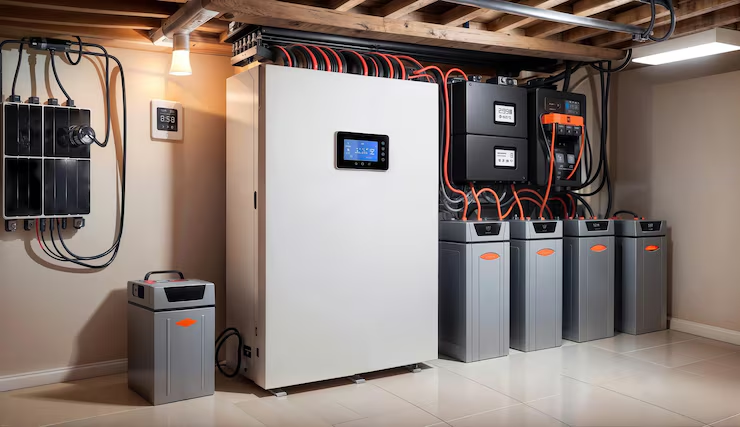
When your whole-house battery backup system fails during a power outage, the problem isn’t just inconvenient; it defeats the entire purpose of having one. From a dead display panel to a system that won’t switch over, most battery backup failures trace back to a handful of identifiable root causes. Astar DFW has diagnosed and repaired battery backup systems across the DFW Metroplex, and this guide gives you the exact troubleshooting framework we use in the field.
This guide walks through the complete troubleshooting process for whole house battery backup systems, how these systems work, the most common failure modes and what causes them, step-by-step diagnostic procedures for each major component, error codes and what they actually mean, when to attempt troubleshooting yourself versus when to call a licensed electrician, and how Dallas’s climate affects system performance.
How a Whole House Battery Backup System Works?
Before troubleshooting any issue, it’s essential to understand how a whole-house battery backup system operates. Without this knowledge, most DIY attempts fail because they focus on symptoms instead of the actual system components.
-
Battery Modules
Battery modules store electrical energy in chemical form. Most modern systems use lithium iron phosphate (LiFePO4) or lithium nickel manganese cobalt (NMC) batteries. Capacity is measured in kilowatt-hours (kWh), typically ranging from 10 kWh for essential loads to 30+ kWh for full-home backup during extended outages.
-
Inverter / Charger
The inverter/charger converts stored DC power into AC power used by your home. It also charges the batteries by converting AC back to DC. In most systems, this function is integrated into a single unit for efficiency.
-
Battery Management System (BMS)
The BMS monitors battery performance, including voltage, temperature, state of charge (SOC), and state of health (SOH). It protects the system from overcharging, deep discharging, and overheating, making it a critical safety component.
-
Automatic Transfer Switch (ATS)
The ATS or gateway detects power outages and automatically switches your home from grid power to battery backup. Modern systems perform this switch in 20–100 milliseconds, ensuring minimal disruption.
-
Energy Management System (EMS)
The EMS controls how and when energy is used. It manages charging, discharging, and optimization settings such as backup mode, time-of-use, or solar integration.
-
Solar Inverter (If Installed)
In solar-integrated systems, the solar inverter manages energy flow from solar panels to the battery and home. It can be configured as AC-coupled or DC-coupled depending on system design.
Understanding which component is involved in a fault dramatically narrows the diagnostic process. A system that won’t charge is a different problem from a system that charges normally but fails to switch over during an outage and both are different from a system that powers some loads but not others.
The Most Common Whole House Battery Backup Failures and What Causes Them
In my years of diagnosing battery backup systems across Southlake, Keller, Colleyville, Grapevine, and greater Dallas, these are the failure modes I encounter most consistently:
1. System Won’t Switch to Battery During an Outage
During a power outage, the battery backup system fails to activate, leaving the home without power. This indicates a critical failure in automatic switching or backup readiness.
Causes: Low battery charge, ATS failure, grid detection issues, system faults.
Fix: Check system app for errors, reset gateway, inspect ATS, ensure sufficient battery reserve.
2. Battery Not Charging (Grid or Solar)
The system discharges normally but does not recharge from the grid or solar panels, reducing available backup power and risking complete power loss during extended outages.
Causes: Tripped breaker, solar faults, BMS limits, voltage or temperature issues.
Fix: Reset breakers, check solar output, review system settings, and ensure proper temperature conditions.
3. Low State of Charge (SOC) Issues
The battery consistently shows lower charge levels than expected based on usage, indicating possible capacity loss, inaccurate reporting, or increased household energy consumption beyond system design limits.
Causes: Battery degradation, calibration drift, module imbalance, and higher load demand.
Fix: Perform a calibration cycle, monitor usage, inspect battery modules, and consult a professional if degradation persists.
4. Inverter Fault or Overload Shutdown
The inverter shuts down or limits power output when demand exceeds capacity, causing partial or complete loss of backup power during high energy usage or appliance startup conditions.
Causes: Heavy appliances, surge loads, overheating, wiring faults.
Fix: Reduce load, rebalance circuits, check wiring, allow inverter cooling or service inspection.
5. Communication & App Connectivity Problems
The system appears offline or unresponsive in the app, preventing monitoring and control, even though the hardware may still be functioning normally in the background.
Causes: Wi-Fi changes, firmware issues, gateway failure, network restrictions.
Fix: Reconnect to Wi-Fi, update firmware, restart system, check router settings.
6. Error Codes & Fault Indicators
The system displays error codes or warning indicators, signaling faults or abnormal conditions that may impact performance, safety, or system operation if not addressed promptly and correctly.
Causes: System faults, BMS alerts, inverter issues, configuration errors.
ix: Review error codes in app/manual, follow manufacturer guidance, contact professional if unresolved.
Whole House Battery Backup System Troubleshooting Process
This is the systematic diagnostic framework I use when approaching a battery backup system that isn’t performing correctly. Work through these steps in order, skipping ahead typically wastes time.
Step 1: Check the App or Web Portal First
Before touching anything physically, pull up the system’s monitoring app. Every major residential battery backup platform, Tesla Powerwall app, Generac PWRcell app, Enphase Enlighten, LG RESU app, and Franklin Home Power app, provides real-time system status, historical data, and active fault codes.
Document everything you see:
- Current system mode (backup, charge, discharge, standby)
- Battery state of charge percentage
- Any active alerts or fault codes
- Current power flow (what’s being generated, consumed, charged, discharged)
- Recent historical performance (did the issue start at a specific time?)
This information narrows your diagnosis dramatically before you open a single panel.
Step 2: Check All Breakers and Disconnects
Battery backup systems involve multiple breakers and disconnect switches that must all be in their correct position for the system to operate. A single tripped breaker can disable the entire system in ways that look like a major fault.
Check the following in sequence:
- System disconnect / main battery disconnect: Usually a large breaker or knife switch on or adjacent to the battery/inverter unit. Must be closed (on) for normal operation.
- AC breaker from main panel to battery system: The breaker in your main electrical panel feeds the battery system’s AC input. Check that it’s fully on not tripped to the middle position.
- Battery backup subpanel breaker: If your home has a dedicated backup loads subpanel (common in Powerwall and PWRcell installations), verify the main breaker on that subpanel is on.
- Solar breaker (if applicable): The DC and AC disconnects associated with your solar array. If solar is integrated, a tripped solar breaker affects charging even when the battery hardware is fine.
- Individual battery module breakers: Some multi-module systems (Enphase IQ Battery, Generac PWRcell) have individual breakers per module. Check each one.
Reset any tripped breaker by switching it fully to OFF and then back to ON. Never repeatedly reset a breaker that continues to trip a breaker that won’t stay on is telling you there’s an active fault that must be diagnosed before resetting.
Step 3: Interpret Error Codes
Every fault code your system displays has a specific meaning. Here is a reference for the most common platforms:
|
System |
Error / Alert |
Meaning |
Fix |
|
Tesla Powerwall |
Grid Services Fault |
Grid voltage/frequency unstable |
Wait for grid stabilization or contact the utility |
|
Island Mode Active |
System running off-grid |
Check for an outage or system settings |
|
|
Powerwall Unavailable |
Lost communication with hardware |
Check gateway power and Wi-Fi |
|
|
System Offline |
App not connected to the system |
Restore internet connection |
|
|
Generac PWRcell |
Grid Voltage Fault |
Utility voltage out of range |
Monitor the grid or contact the utility |
|
Overtemperature |
System overheating |
Improve ventilation, reduce heat exposure |
|
|
Module Communication Loss |
Battery modules are not communicating |
Check connections and module status |
|
|
Inverter Fault |
Internal inverter issue |
Requires professional diagnosis |
|
|
Enphase IQ Battery |
IQ Battery Offline |
Lost system communication |
Check Envoy and battery power |
|
Grid Profile Mismatch |
Incorrect system configuration |
Reconfigure with a certified installer |
|
|
Charge Disabled |
Charging stopped by the BMS |
Check temperature, SOC, system limits |
|
|
LG RESU |
BMS Fault |
Battery abnormal condition detected |
Inspect the system or contact a technician |
|
Communication Error |
Battery-inverter connection lost |
Check wiring and compatibility |
|
|
Overtemperature Warning |
Battery overheating |
Improve cooling and placement |
Step 4: Check Physical Installation Conditions (Simple Inspection Guide)
After checking the app and breakers, take a quick look at the physical setup of your system. Many issues come from installation conditions:
- Temperature: Make sure your battery isn’t in extreme heat. In Dallas, garages can exceed safe limits, reducing performance or causing shutdowns.
- Ventilation: Ensure there’s enough airflow around the inverter and battery. Poor ventilation can lead to overheating.
- Physical Damage: Look for signs of damage, water exposure, or loose conduit—especially after storms.
- Connections: Check for visible corrosion or wear (do not touch internal wiring—call a professional if needed).
Step 5: Perform a System Restart (Quick Fix for Common Issues)
Many minor issues, like app errors or communication failures, can be fixed with a restart:
- Tesla Powerwall: Restart through the app settings
- Generac PWRcell: Turn the system off, wait 60 seconds, then turn it back on
- Enphase IQ Battery: Restart the Envoy gateway or cycle the disconnect
Important: If the problem returns after restarting, stop and contact a professional—repeated resets won’t fix deeper issues.
Step 6: Verify Solar Integration (If You Have Solar)
If your battery isn’t charging properly, the issue might be with your solar system:
- Check your app to see if solar panels are producing power
- Compare the output with the current weather conditions
- Look for common issues like inverter faults, shading, or system shutdowns
Key Tip: If solar production is low or inactive, your battery won’t charge—even if the battery system itself is working perfectly.
When to Stop Troubleshooting and Call a Licensed Electrician
You should stop troubleshooting and call a licensed electrician in Dallas when the issue involves high-voltage components, repeated system faults, or physical damage. Battery backup systems operate at dangerous voltage levels, and improper handling can lead to serious safety risks.
Call a professional if you notice:
- High-voltage battery or DC connection issues
- Inverter faults that don’t resolve after a restart
- Cracked enclosures, water damage, or burnt/discolored wiring
- Breakers that keep tripping repeatedly
- Critical or error fault codes in your system
- Need for system upgrades or modifications
Astar DFW handles battery backup system diagnostics and repair across the DFW Metroplex. Their backup generator and battery system services include fault diagnosis, component replacement, system reconfiguration, and full installation of new battery backup systems. When troubleshooting has hit its limit, this is who DFW homeowners call.
FAQs:
Why is my whole house battery backup not working during a power outage?
Common causes include disabled backup mode, low battery reserve, transfer switch failure, or active fault codes. Check your system app for alerts first. If unresolved, contact Astar Air Conditioning, Plumbing & Electric for professional diagnosis and repair.
Why is my Tesla Powerwall not charging?
Check if the breaker is on, confirm system mode settings, and review the Tesla app for alerts. Heat-related throttling can also occur. If issues persist, contact Astar Air Conditioning, Plumbing & Electric for expert troubleshooting and support.
How do I reset my whole house battery backup system?
Most systems reset by powering down, waiting 60 seconds, then restarting. Use the app or disconnect switch depending on your system. If faults continue after reset, avoid repeated attempts and contact Astar Air Conditioning, Plumbing & Electric.
What does a battery backup system fault code mean?
Fault codes indicate issues like grid problems, overheating, communication errors, or inverter faults. Always check your system manual or app for details. For critical errors, contact Astar Air Conditioning, Plumbing & Electric to prevent further damage.
Why is my battery backup system showing low battery even when fully charged?
This usually indicates a calibration issue where the system misreads battery capacity. Running a full charge-discharge cycle may fix it. If not, contact Astar Air Conditioning, Plumbing & Electric for a full system diagnostic.
How long should a whole house battery backup last in a power outage?
Runtime depends on battery size and home energy usage. Essential loads may last 8–12 hours, while full-home usage shortens that time. For accurate sizing and performance evaluation, consult Astar Air Conditioning, Plumbing & Electric.
Can I install a whole house battery backup system myself?
While some homeowners attempt DIY installation, these systems involve complex electrical work and permits. Improper setup can void warranties. It’s strongly recommended to hire Astar Air Conditioning, Plumbing & Electric for safe, compliant installation.
What is the best whole house battery backup system?
Top systems include Tesla Powerwall, Generac PWRcell, and Enphase IQ Battery, each offering different benefits. The best choice depends on your home’s energy needs. Astar Air Conditioning, Plumbing & Electric can help you choose the right solution.
Why does my battery backup keep going into fault mode?
Recurring faults often indicate deeper issues like overheating, wiring problems, or failing components. Restarting won’t fix the root cause. A full inspection by Astar Air Conditioning, Plumbing & Electric is recommended to resolve the issue safely.
Does Astar DFW install and service battery backup systems?
Yes, Astar Air Conditioning, Plumbing & Electric provides complete battery backup services, including installation, maintenance, troubleshooting, and upgrades. Their licensed electricians ensure reliable, code-compliant solutions for long-term home power security.